

Documentation Index
Fetch the complete documentation index at: https://domoinc-arun-raj-connectors-domo-480626-update-new-field-mi.mintlify.app/llms.txt
Use this file to discover all available pages before exploring further.
Intro
Append Rows
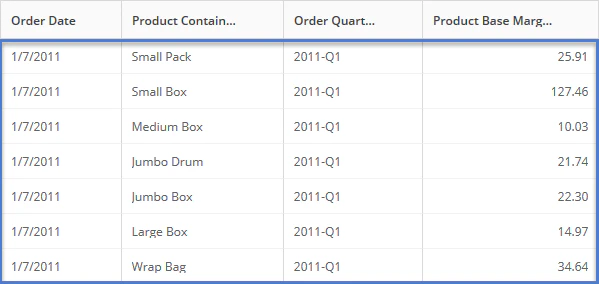
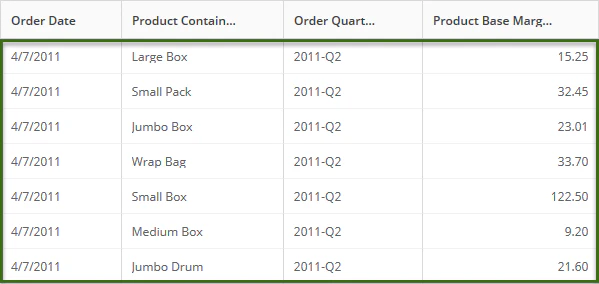
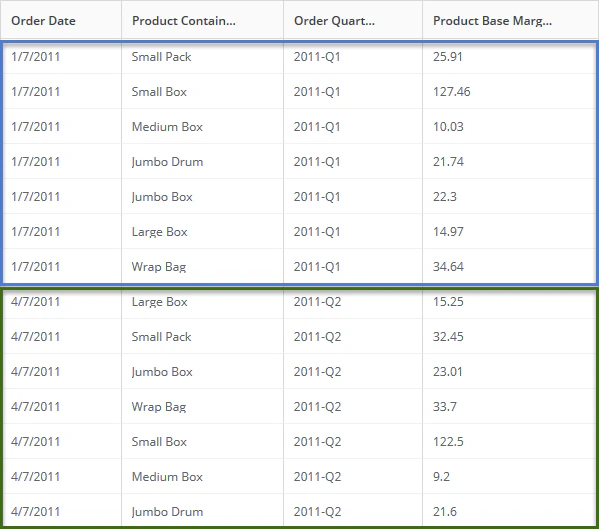
The Append Rows tile lets you append rows from multiple DataSets (with similar columns and data structure) into one DataSet, returning occurrences of all matches, including duplicate rows.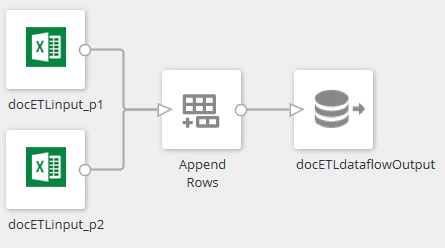

- Click the Append Rows tile in the canvas.
-
(Optional) Rename the tile by clicking
 , then entering the name you want.
-
Select the option for including columns.
Option
Description
Include columns from DataSet
Includes the columns from the DataSet you select.
Include all columns
Includes unique columns from all of the input DataSets.
Only include shared columns
Includes only columns that are used in every input DataSet.
- Review changes to be made to each DataSet.
Join Data
The Join Data tile lets you combine columns from two DataSets or data “streams” into one DataSet using common values in a specific column (or set of columns). The columns must exist in both input DataSets and have the same data structure.

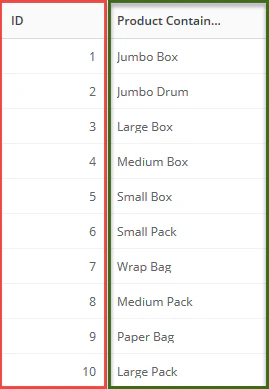


- In the transformed data, Domo adds “_1” to the name of specified matching columns.
- When previewing, the transformed data might not sort rows in the order you expect. You can control the row order when displaying data in table cards.
- Click the Join Data tile in the canvas.
- (Optional) Rename the tile by clicking
, then entering the name you want.
- Determine the column to use in combining data.
- Select the first input DataSet (on the left), then select the identifying column you want. The identifying column must be paired with a matching column in the second input DataSet.
- Select the second input DataSet (on the right), then select the matching column you want. The matching column must be paired with a matching identifying column in the first input DataSet.
-
Click the join type icon, then select the type of join to perform.
Join Type
Description

InnerIncludes only matching rows in both input DataSets.

Left OuterIncludes all rows from the first input DataSet (on the left) and matching rows from the second input DataSet (on the right).

Right OuterIncludes all rows from the second input DataSet (on the right) and matching rows from the first input DataSet (on the left).

Full OuterIncludes all rows from both input DataSets.
- (Conditional) If you want to define another pair of columns, click Match Another Column, then configure the paired columns.