

Documentation Index
Fetch the complete documentation index at: https://domoinc-arun-raj-connectors-domo-480626-update-new-field-mi.mintlify.app/llms.txt
Use this file to discover all available pages before exploring further.
Intro
The Clio API provides a set of programming interfaces that developers can use to create integrations and custom applications for Clio’s cloud-based legal practice management system. It helps law firms automate tasks, synchronize data across applications, and improve operational efficiency. You can connect to your Clio account in the Data Center. This topic discusses the fields and menus that are specific to the Clio connector user interface. To add DataSets, set update schedules, and edit DataSet information, see Adding a DataSet Using a Connector.Prerequisites
To connect to your Clio account and create a DataSet, you need the following:- Client ID and Client Secret associated with your Clio account
- Region
Generating Client ID and Client Secret
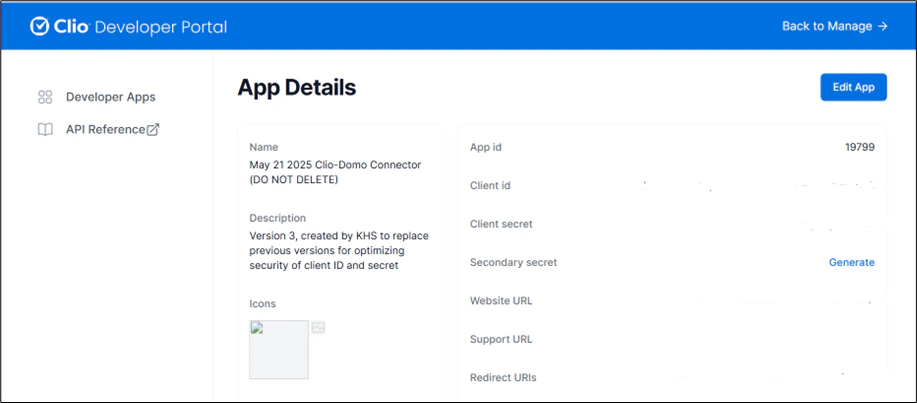
To generate the Client ID and Client Secret, follow the steps below:- Sign in to the Clio Developer Portal at https://developers.clio.com/ using your account credentials.
-
To create a new app, select New App.

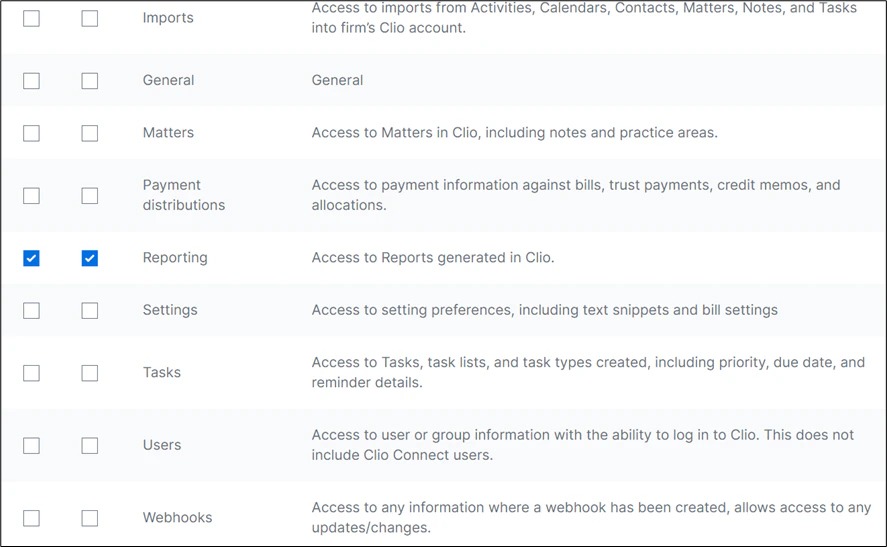
- Select the required read and write permissions for the endpoints, and then select Save.
Note: Ensure to select both read and write permissions for the Reporting endpoint.
Connecting to Your Clio Account
This section enumerates the options in the Credentials and Details panes on the Clio Connector page. The components of the other panes on this page, Scheduling, and Name & Describe Your DataSet, are universal across most connector types and are discussed in great detail in Adding a DataSet Using a Connector.Credentials Pane
This pane contains fields for entering credentials to connect to your Clio account. The following table describes what is needed for each field:| Field | Description |
|---|---|
| Client ID | Enter the Client ID associated with your Clio account. |
| Client Secret | Enter the Client Secret associated with your Clio account. |
| Region | Select the region from the drop-down list. |
Details Pane
| Menu | Description | ||||||
|---|---|---|---|---|---|---|---|
| Report | Select the Clio report you want to run. The following reports are available:
| ||||||
| Report Type | Select the type of report you want to generate. | ||||||
| Date Range | Select the date range for which you want to fetch the data. The date range cannot be before January 1, 2000, and must not be a future date. |